
One AI layer.
Your systems.
Your rules.
Connect & Govern is Bayaan's control plane: role-based access, audit logging, source citations, admin-managed features, and multi-model routing — one governed AI layer over your business systems.
● Databases connected today — CRM, ERP & document stores are the direction.
Where Bayaan plugs in today
Databases are connected today; the direction is the same governed interface across CRM, ERP, and document stores.
Live databases (SQL)
The production path powering Bayaan for Commercial Real Estate: cited Q&A over finance and operations data.
Files and knowledge
Uploads, per-project knowledge bases, and organization templates give the assistant governed context.
CRM, ERP & document stores
One AI layer over your internal systems through the same governed interface. We say so plainly: this is the direction, not a shipped feature.
Bayaan sits between your data and your users
SQL DB
● LIVE NOW
Files
● LIVE NOW
CRM
◌ PLANNED
ERP
◌ PLANNED
Bayaan
Governed AI layer
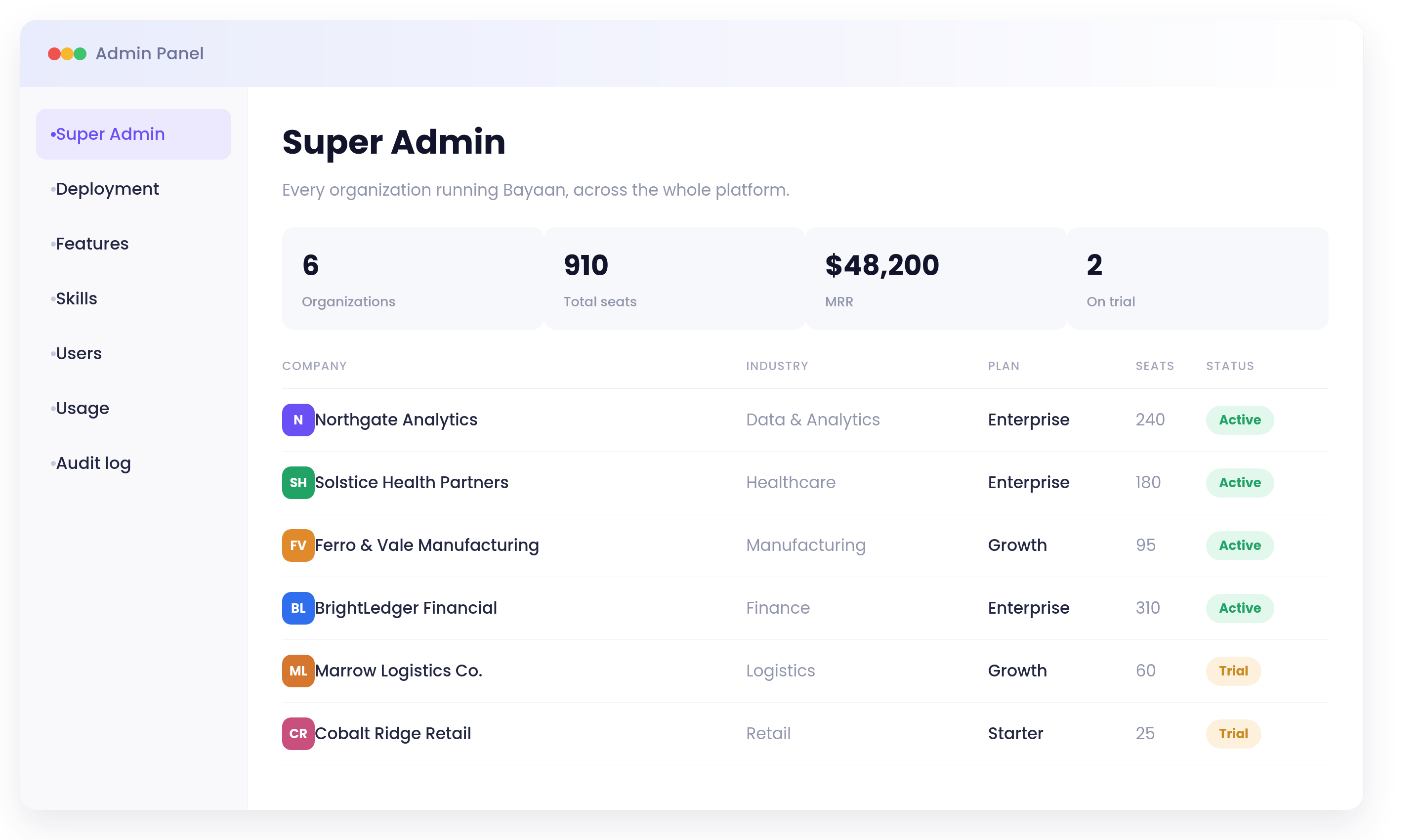
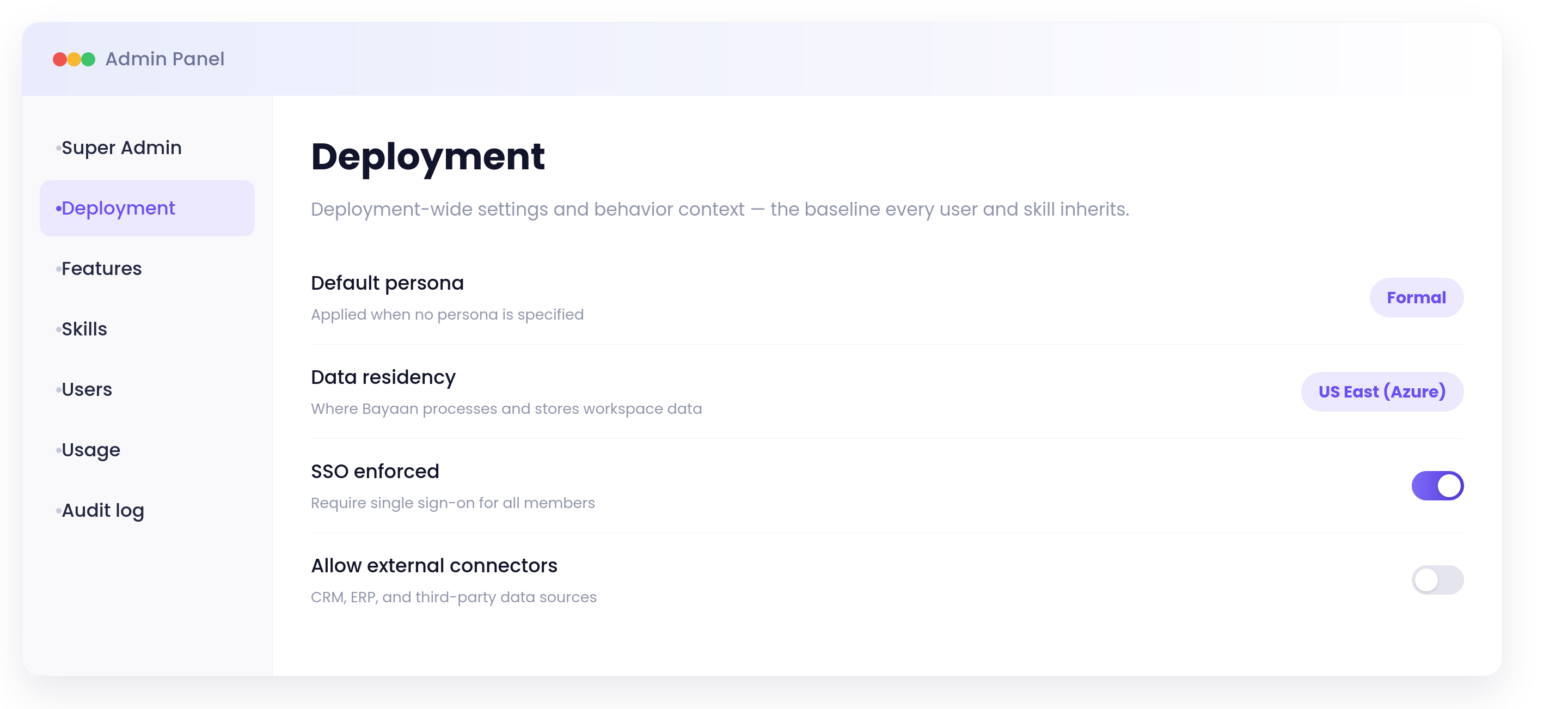
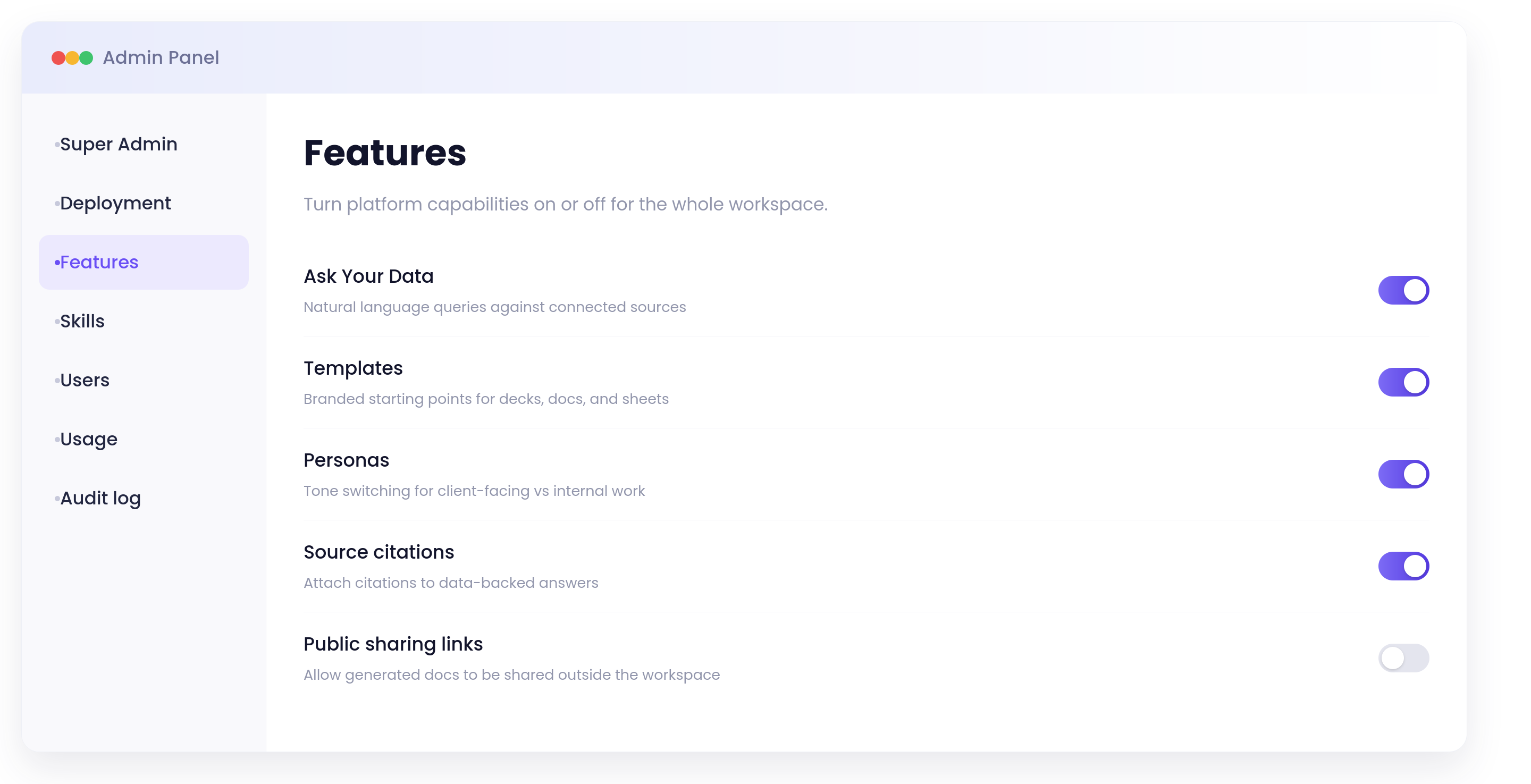
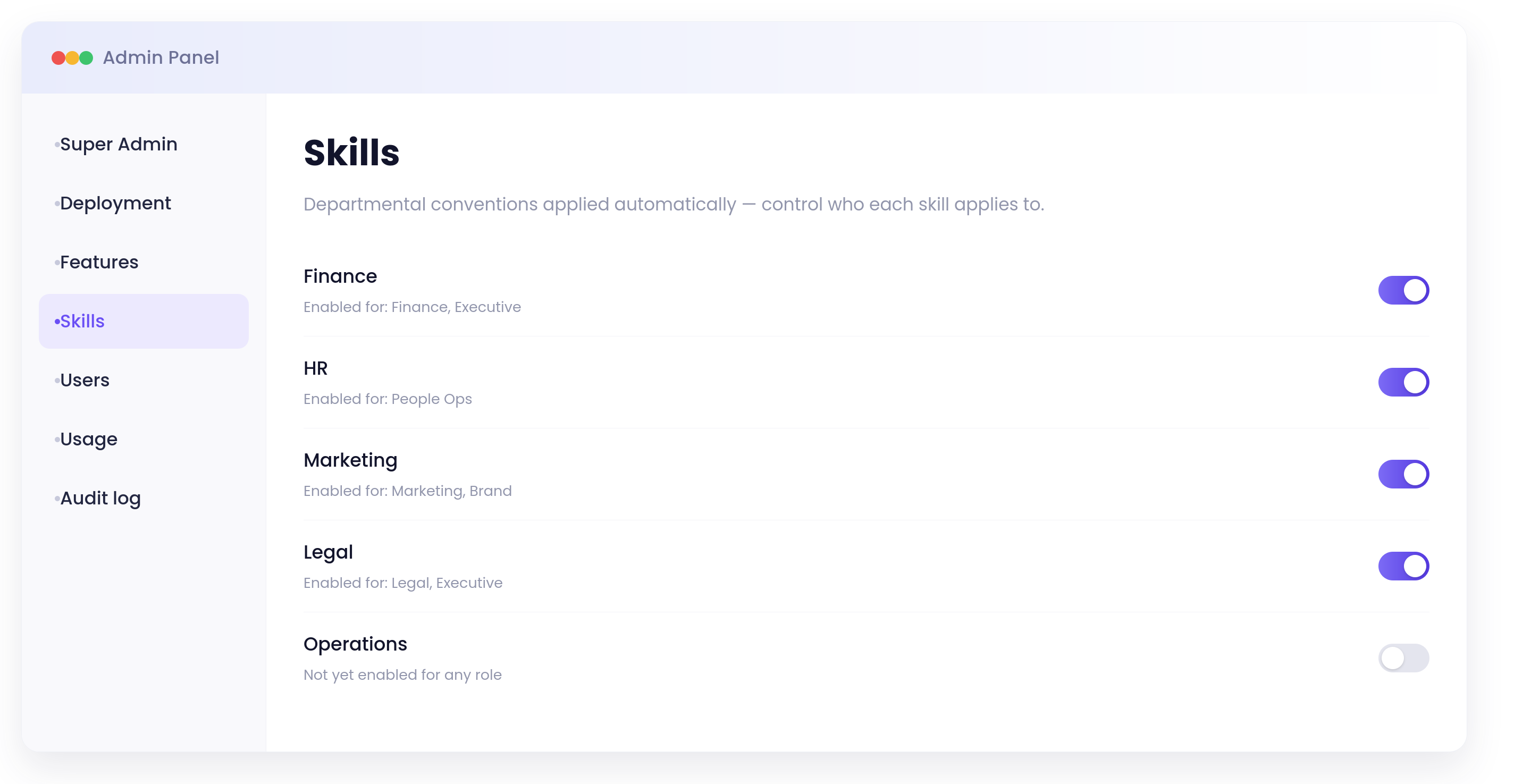
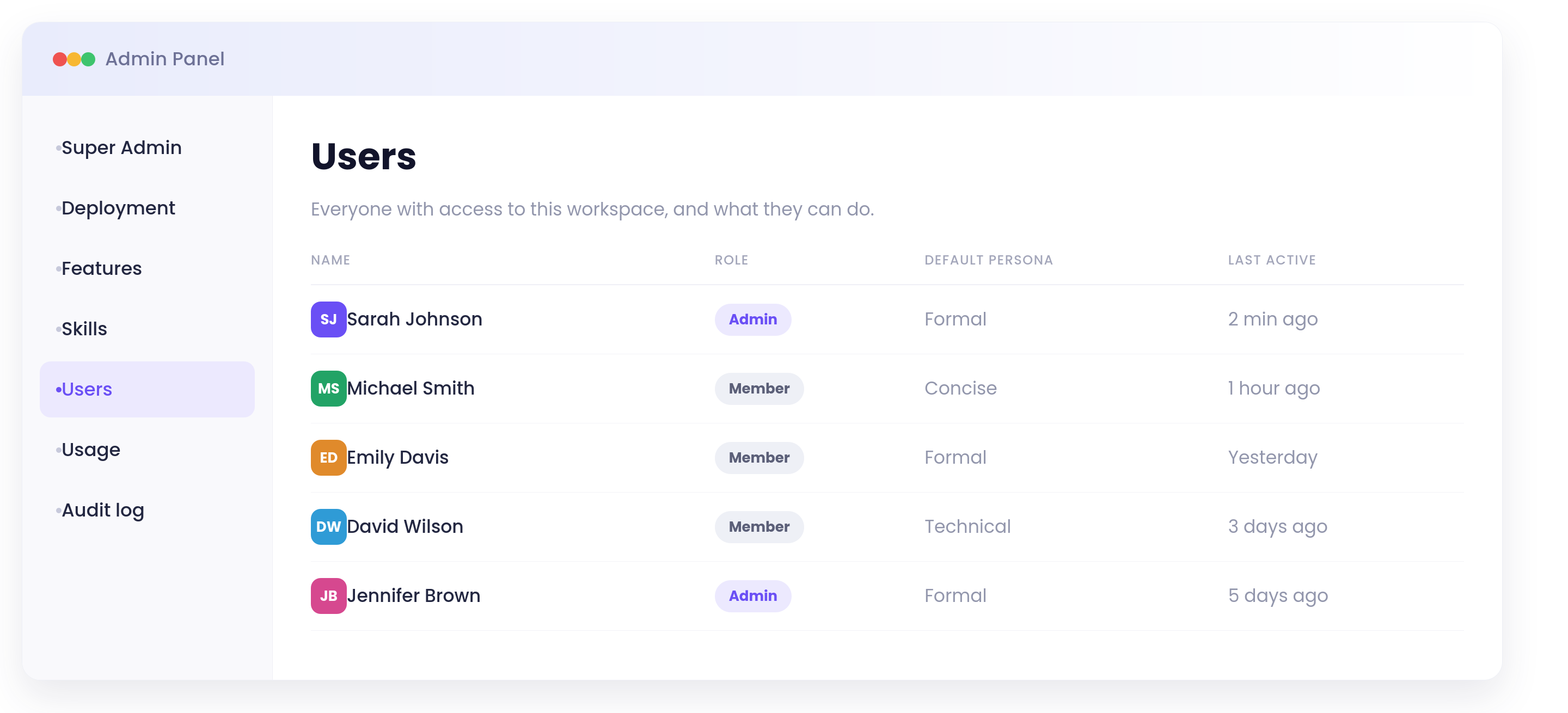
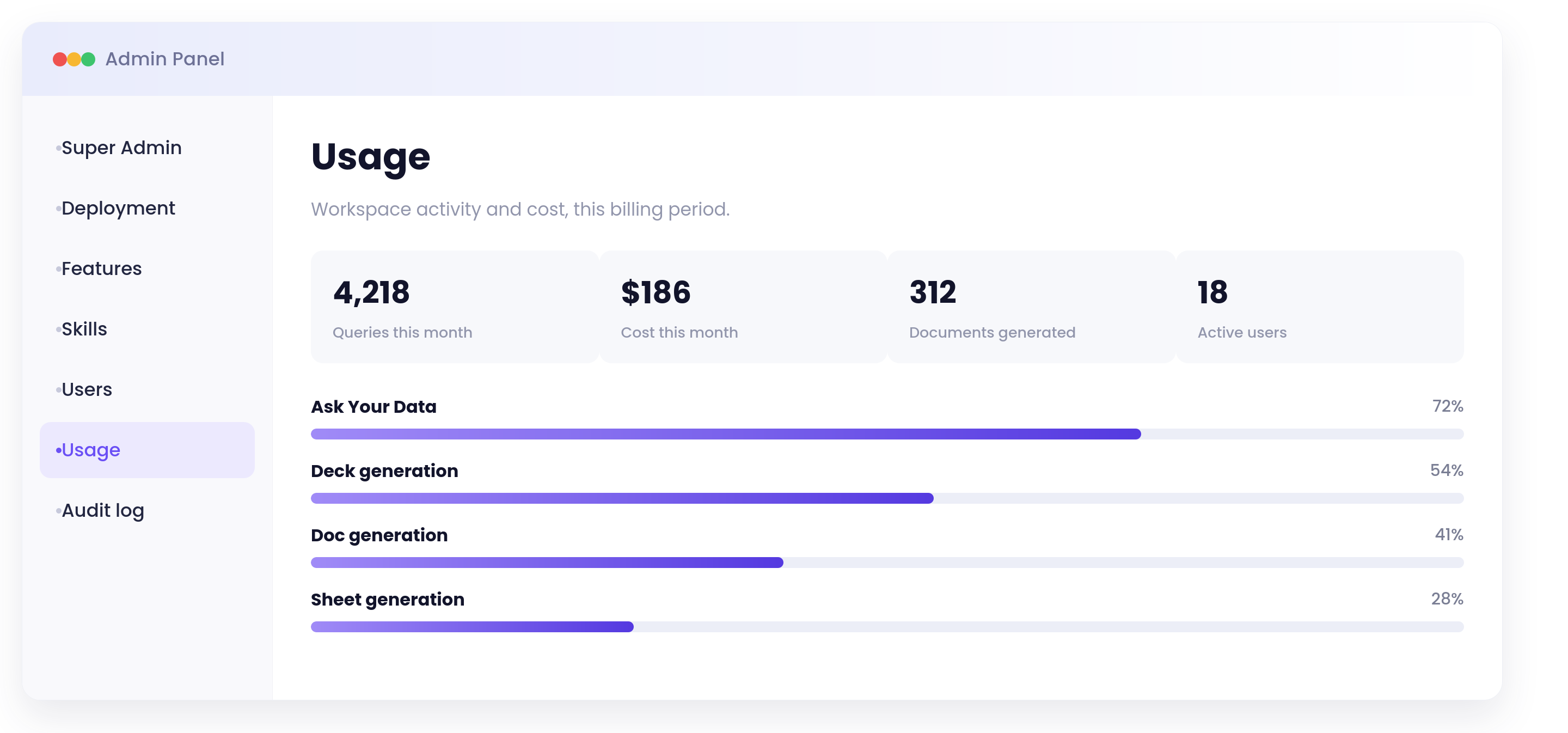
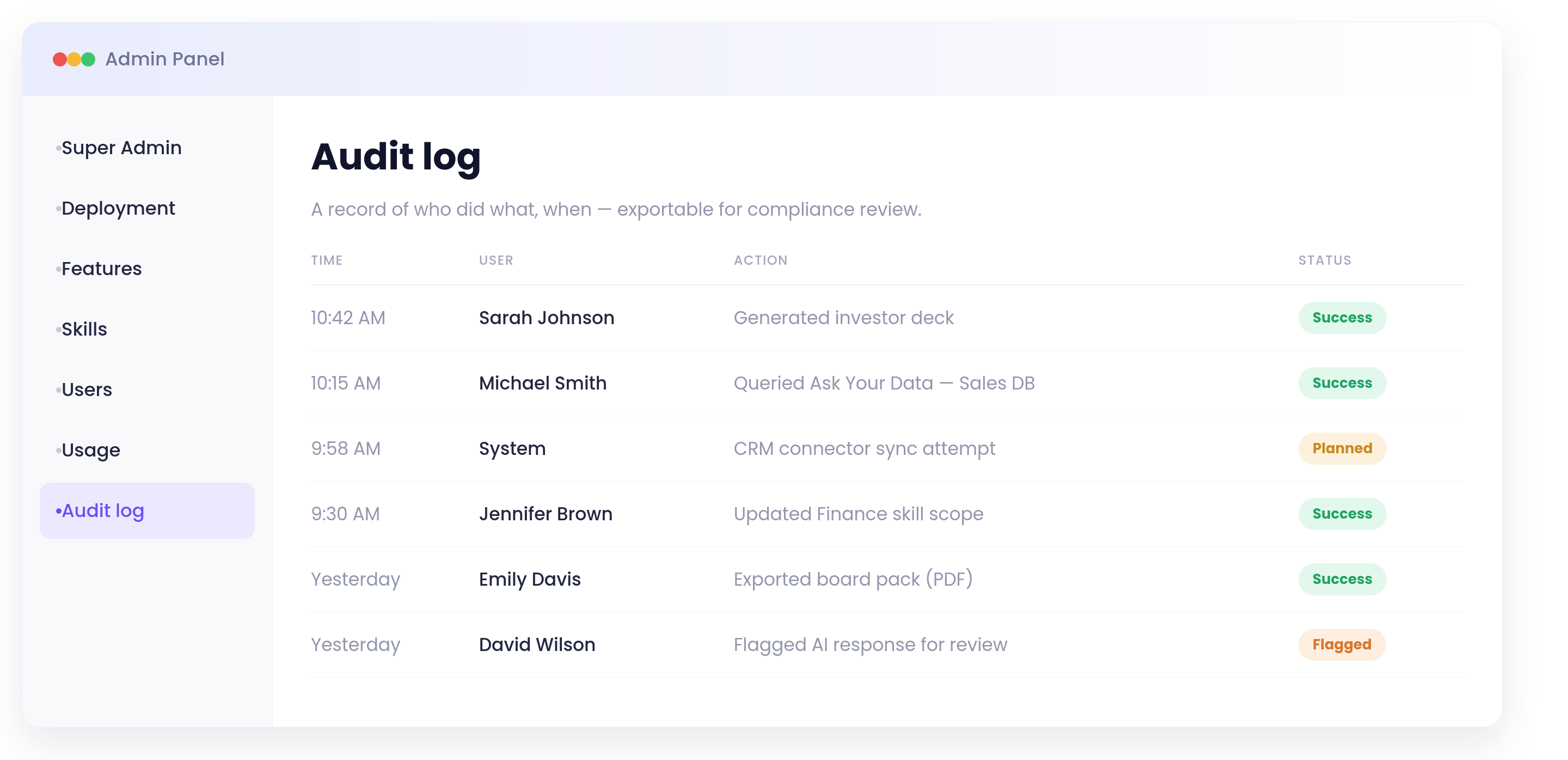
The controls admins actually get
From a dedicated admin console — separate from the chat experience.
Single policy, every model
Route across AI models per task — speed, cost, or reasoning depth — without changing your governance posture.
Governance-first isn't optional
Ungoverned AI adoption is how data leaks, hallucinated numbers reach board decks, and shadow tools multiply. Teams adopt AI fastest when security says yes — and security says yes when access is scoped, actions are logged, and answers are cited.
See our security approach →Frequently Asked Questions
What does "governed AI layer" mean?
A governed AI layer means AI usage is managed through enterprise controls, not informal consumer tools. Access to data and features is role-based, administrative changes are audit-logged, and answers can include source citations for verification. It gives teams a scalable AI interface while preserving security and accountability requirements.
What systems does Bayaan connect to today?
Bayaan connects today to live SQL databases, uploaded files, and project-level knowledge bases that teams manage within the workspace. CRM, ERP, and document-store connectors are part of the stated direction rather than current shipped breadth. This keeps current claims explicit while showing where integration coverage is expanding.
Can admins control the rollout?
Yes. Admins can stage rollout by toggling features, controlling which departmental skills are available, and managing users and role assignments centrally. This allows organizations to start with a narrow scope, validate adoption, then expand safely. Rollout pace is controlled by policy and operational readiness, not by default-on tooling.
What gets audit-logged?
Administrative events such as deployment settings updates, feature toggles, and user-management actions are recorded in the audit log. Admins can also monitor deployment-level usage trends to understand how the platform is being used across teams. Together, these views support both governance review and practical operations management.
Does multi-model routing affect security?
No. Multi-model routing changes the response strategy, such as speed, cost, or reasoning depth, but does not bypass governance controls. The same access policies, environment boundaries, and audit patterns remain in effect regardless of selected model path. This lets teams optimize output quality without weakening governance.