Bayaan features

From trusted answersto work your team can use.

Bayaan brings live data questions, finished deliverables, repeatable AI guidance, and enterprise controls into one governed workspace. Turn the knowledge already inside your business into clear answers, polished outputs, and repeatable workflows your team can use with confidence.

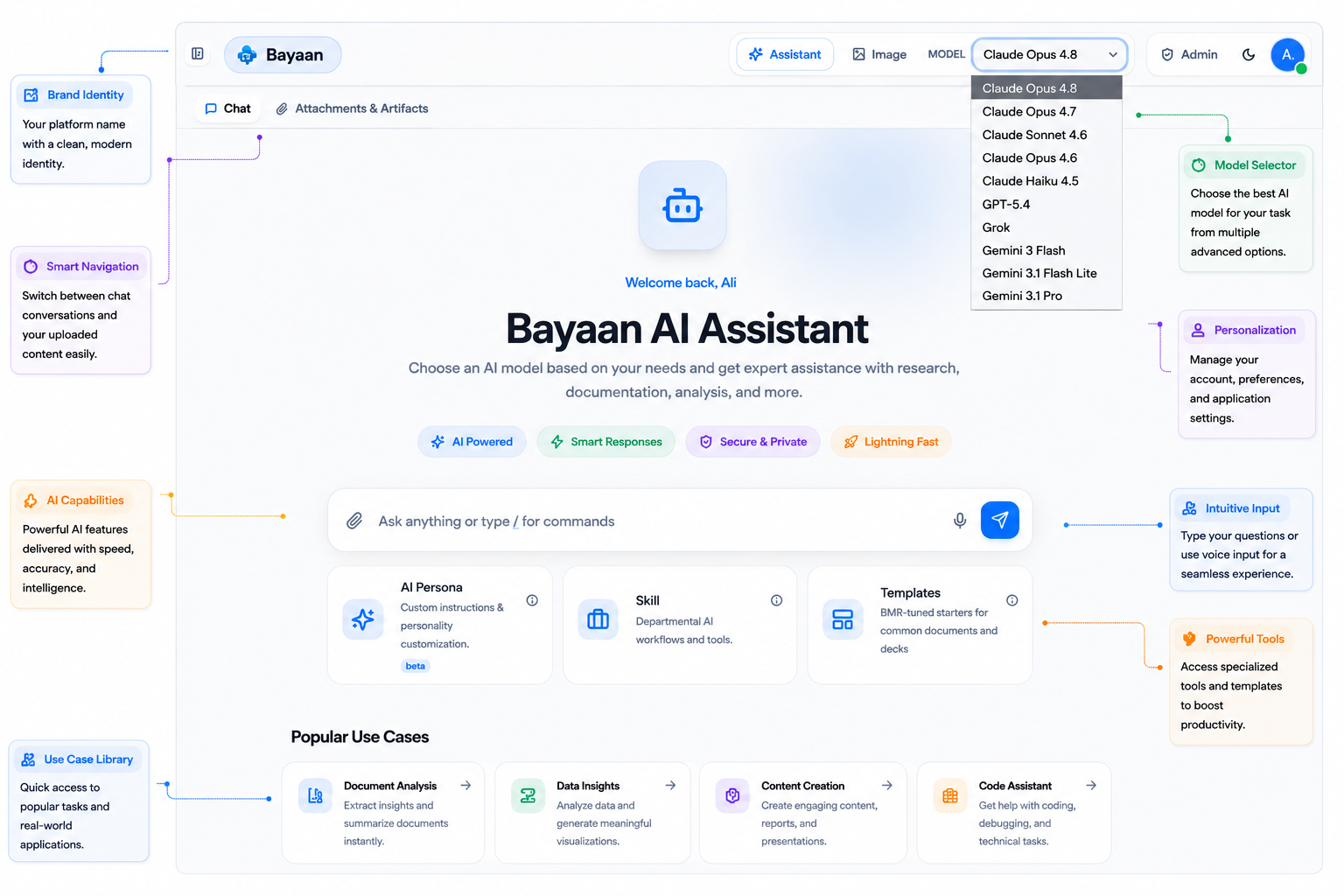
Bayaan assistant workspace shown with demonstration interface data
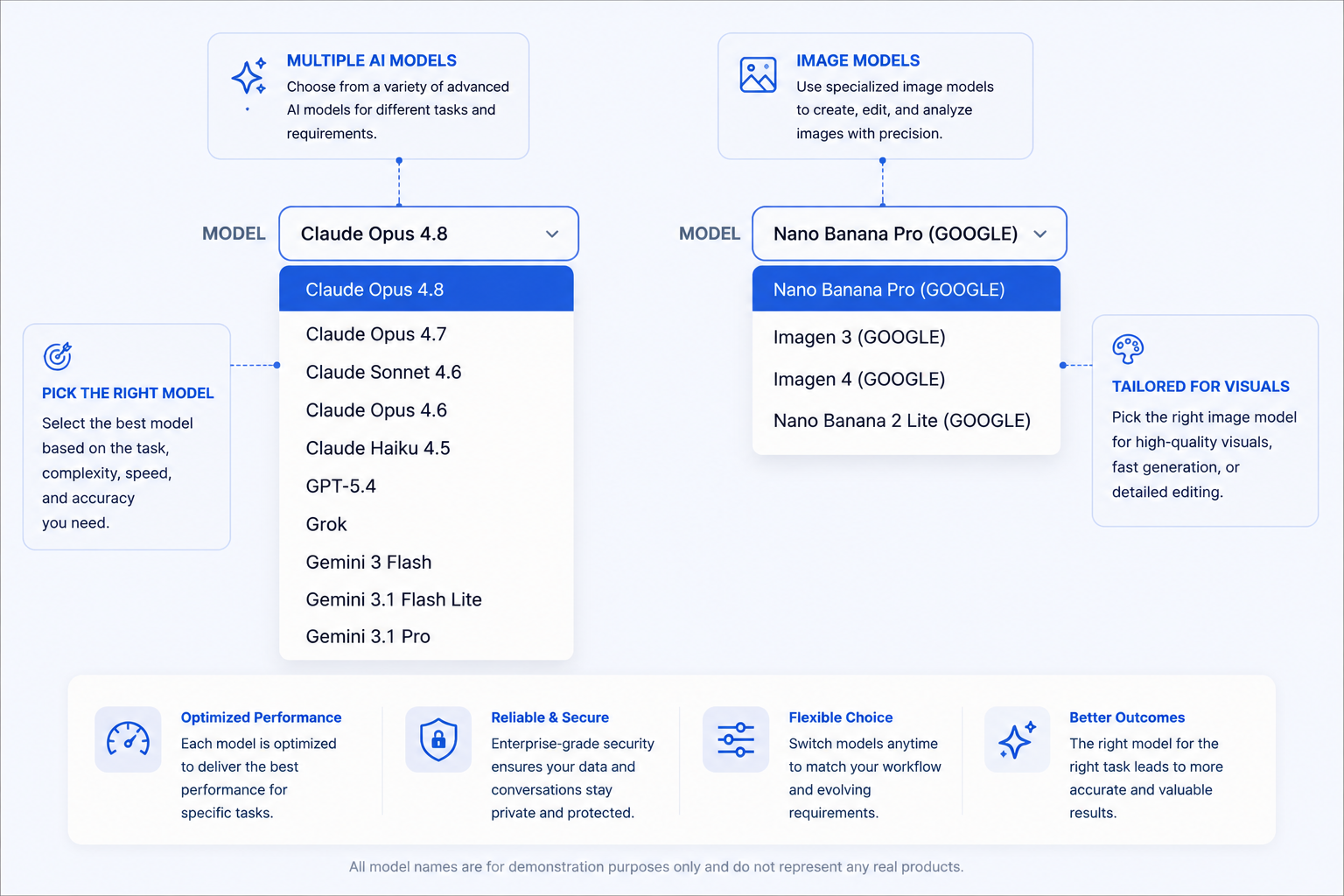
Multi-model choice
Work, ready to use

01 Ask your data

Ask in plain English. See the answer take shape.

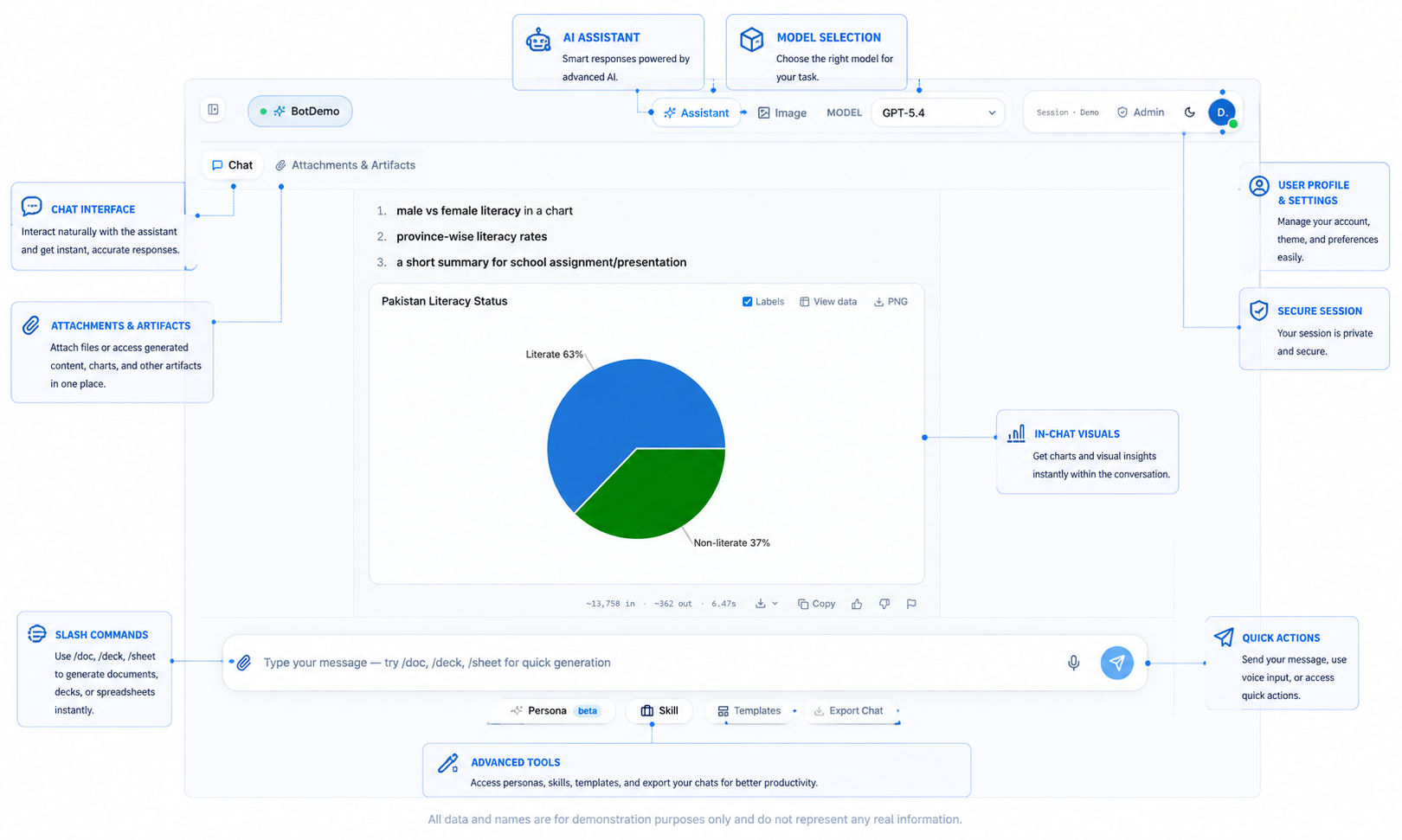
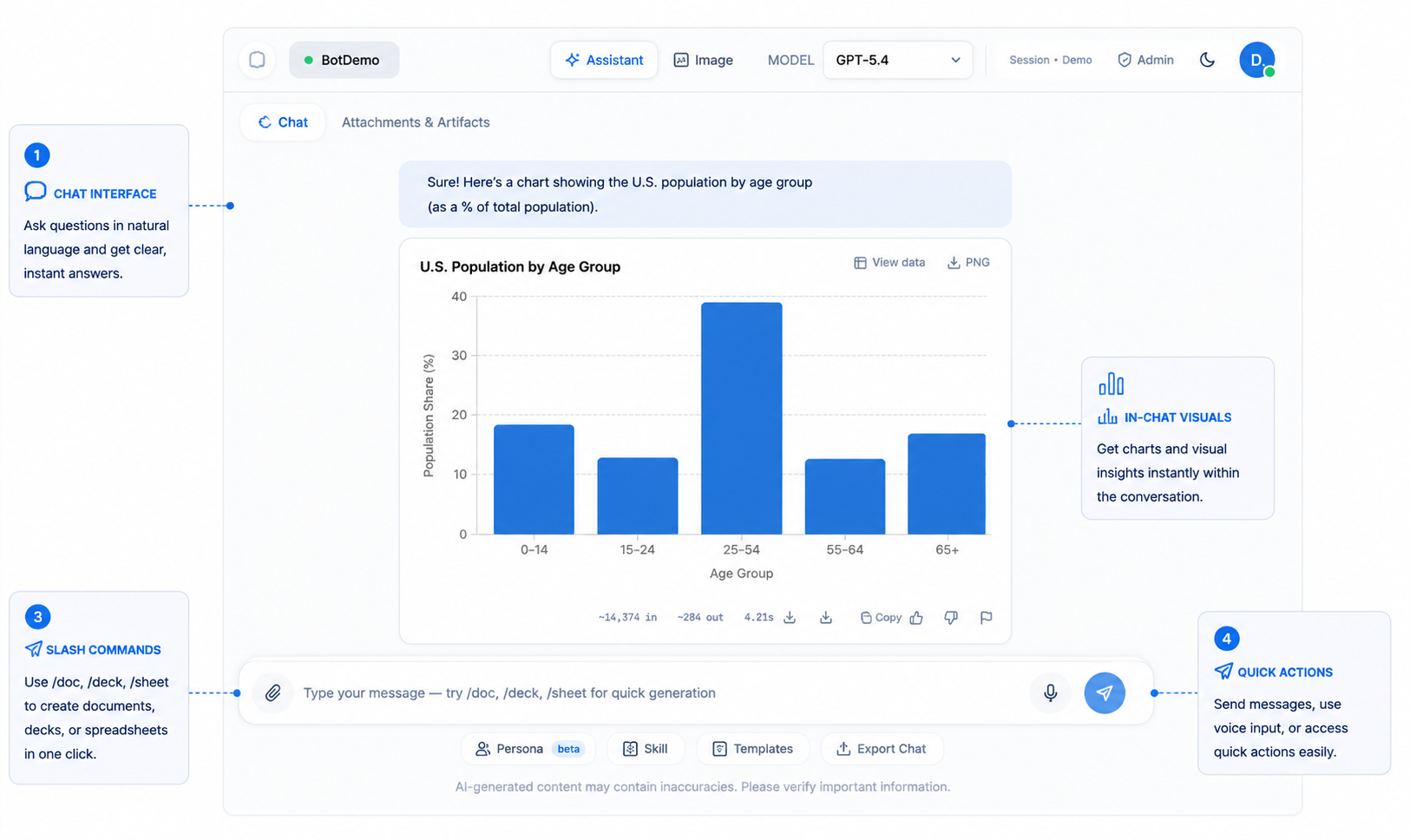
Ask questions over live business data and receive clear answers with source citations. Bayaan can surface visual insights directly within the conversation, without requiring a dashboard or SQL query.

  • Natural-language questions over live SQL data
  • Source citations for answers
  • In-chat charts and visual insights
Explore Ask Your Data
Bayaan chat interface displaying a demonstration data chartBayaan demonstration bar chart generated in chat

02 Generate work

Move from conversation to finished work.

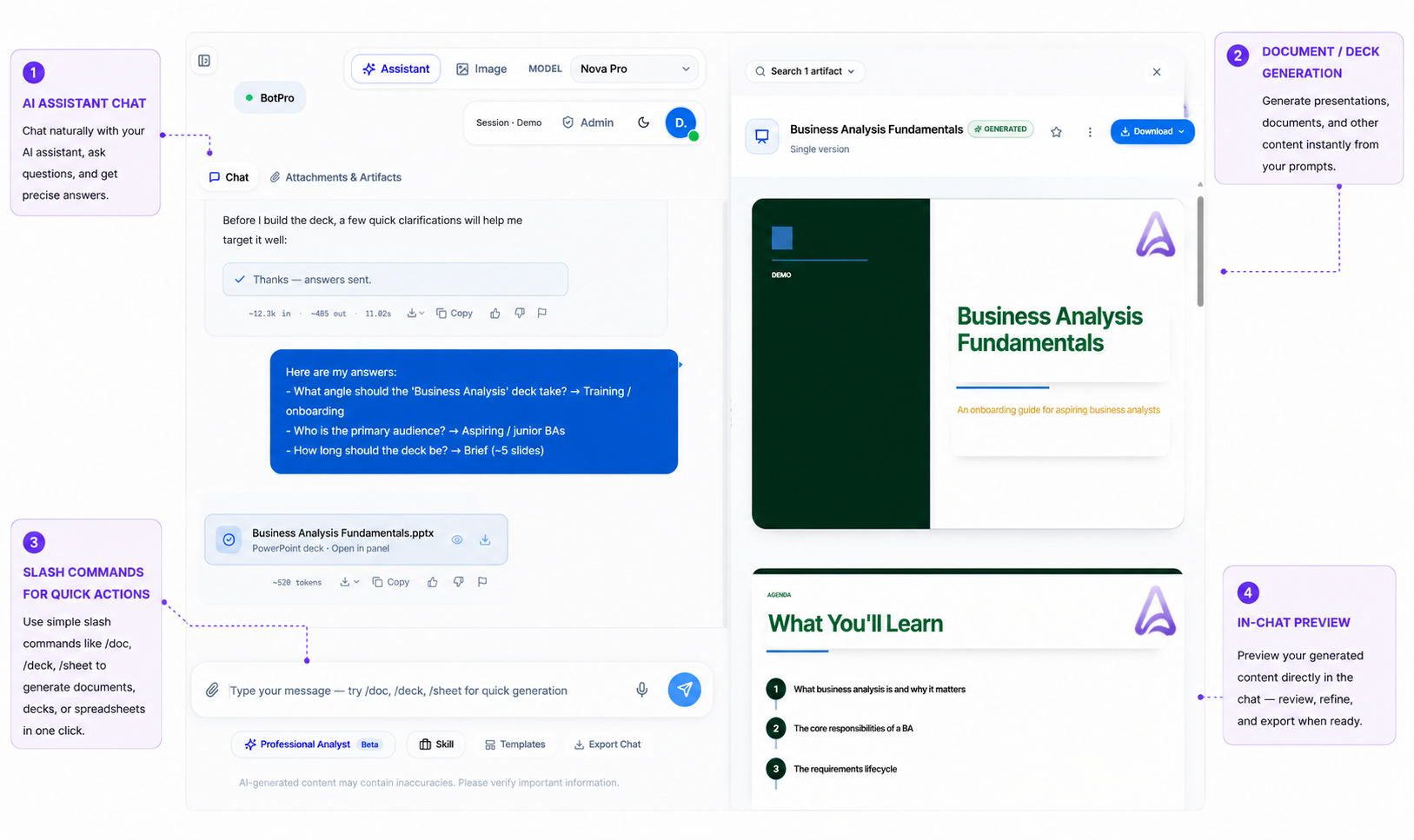
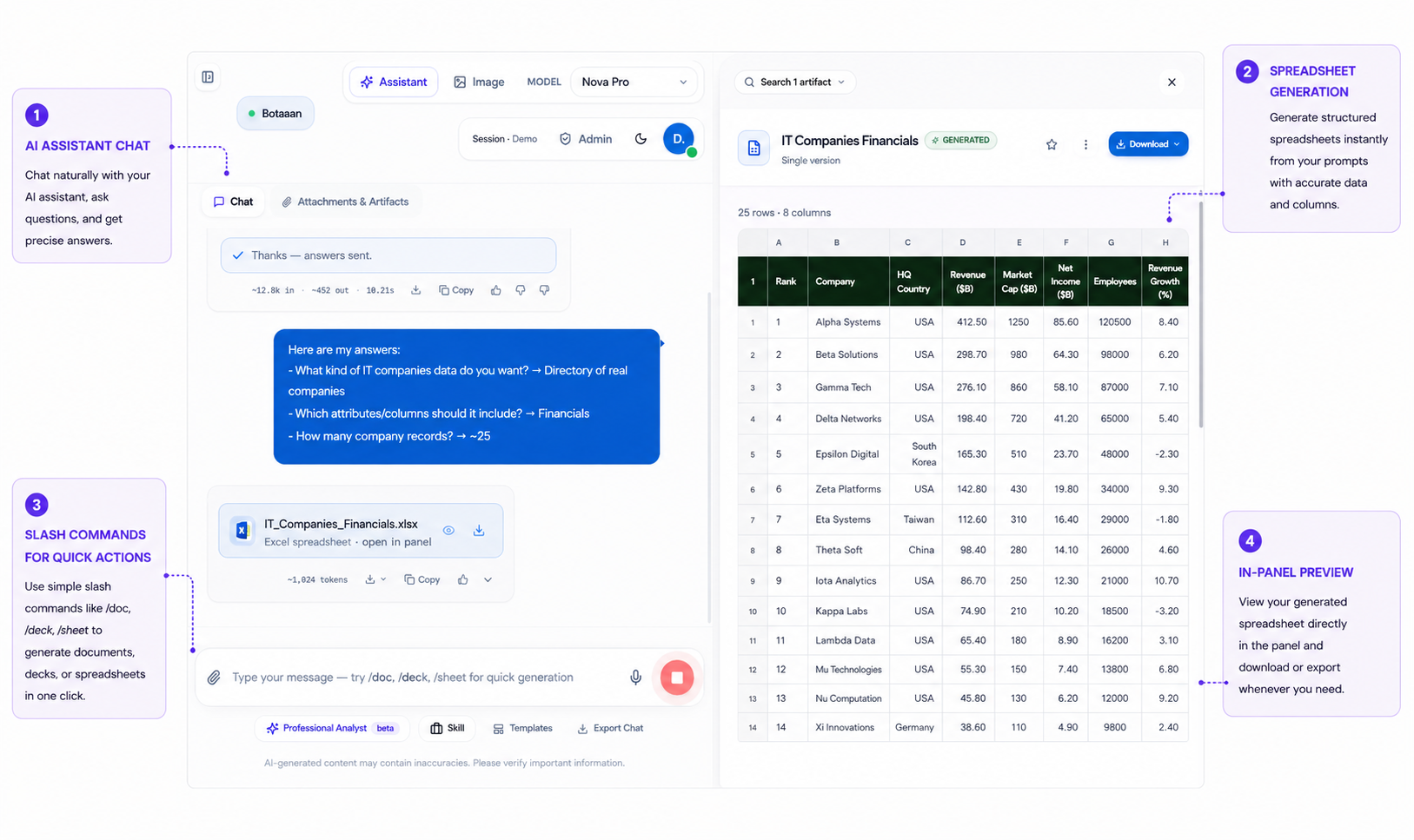
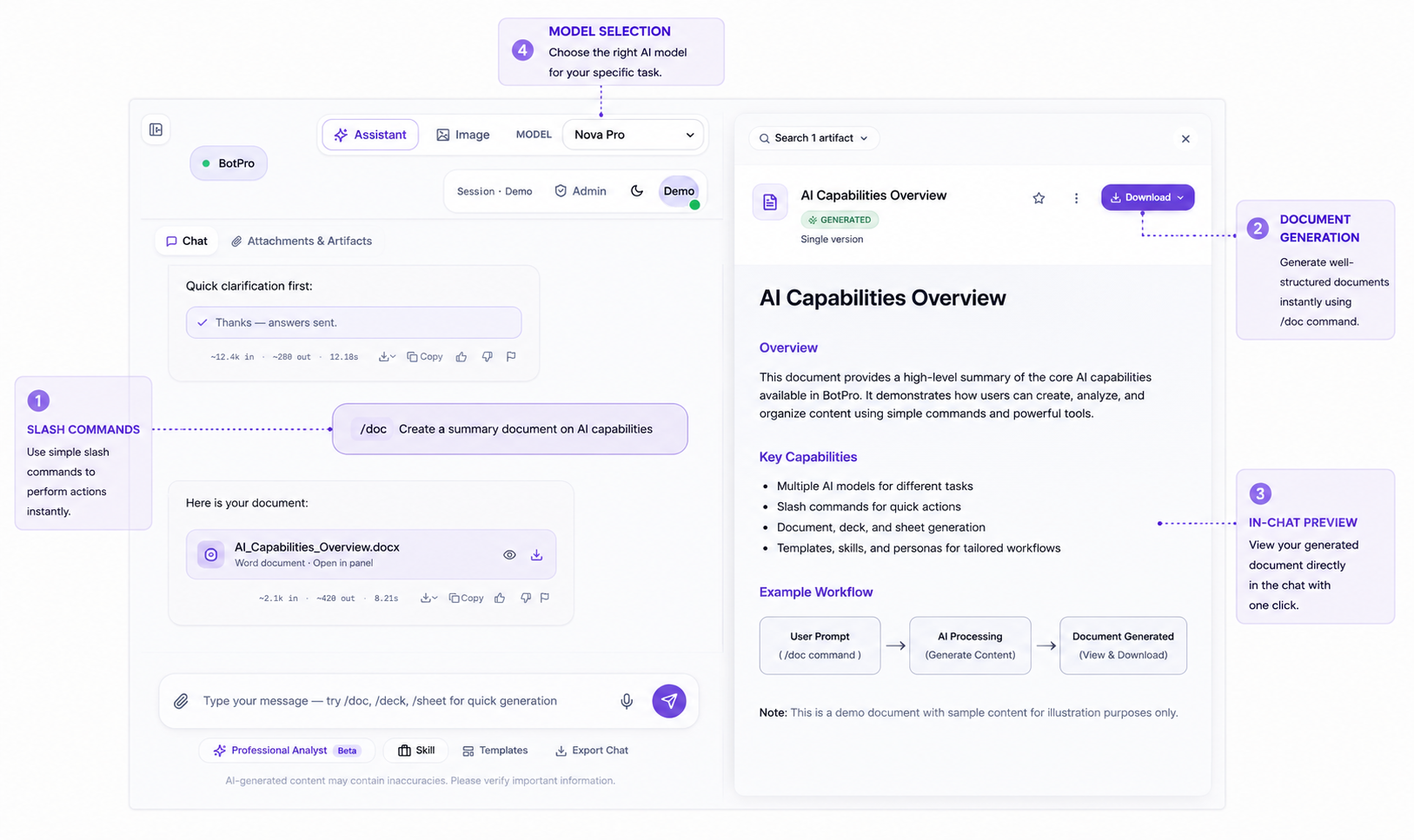
Use a prompt or an uploaded file to create PowerPoint decks, Excel spreadsheets, and Word documents aligned to your organization’s templates. Review work in the workspace and keep each revision available as a version.

Bayaan deck generation workflow using demonstration content
PowerPoint, Excel, and WordPrompt or uploaded source fileVersioned revisions

03 Bayaan workflow

Make proven ways of working reusable.

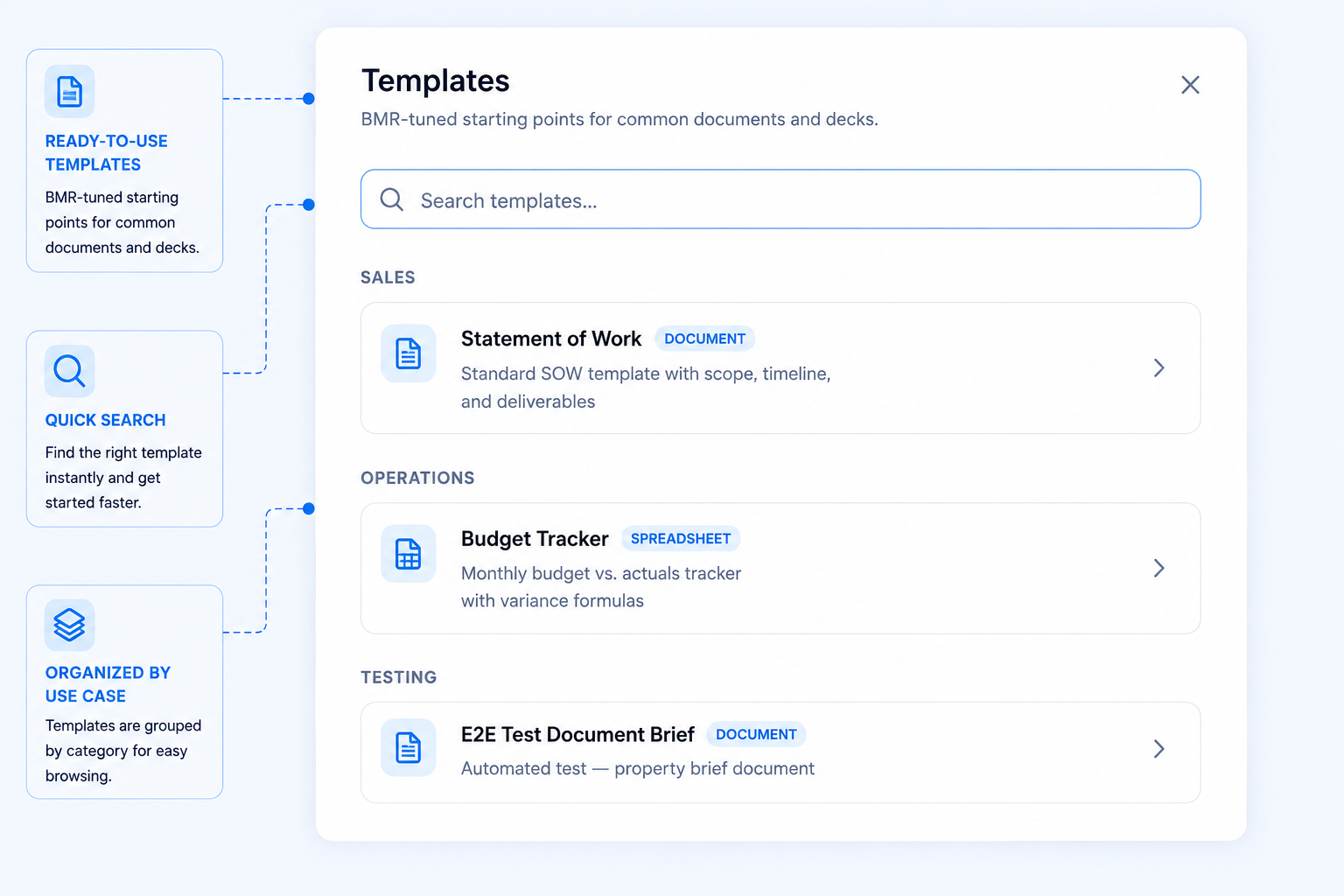
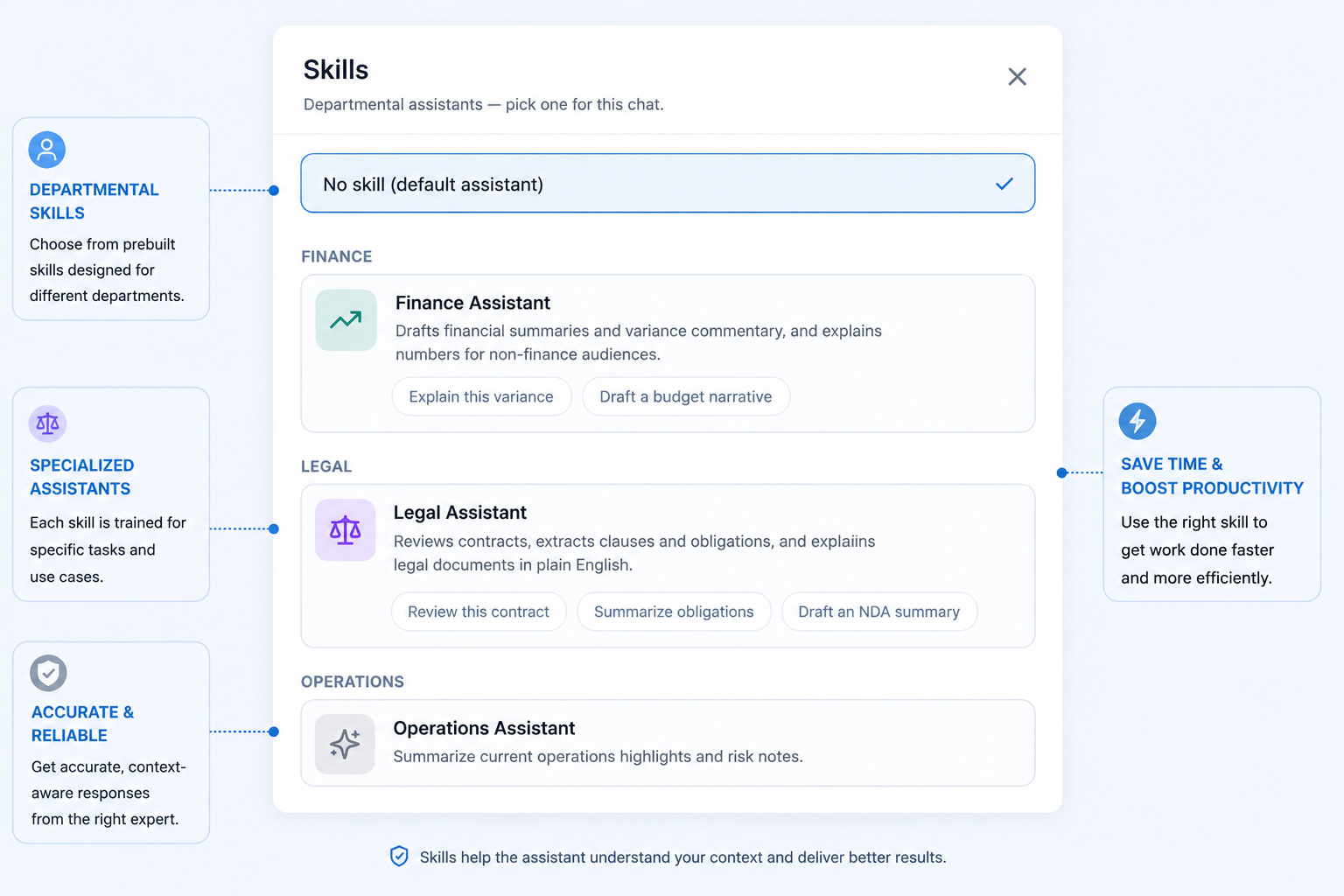
Choose the structure, task guidance, and AI approach that fit the work in front of you.

Bayaan template library with demonstration templates
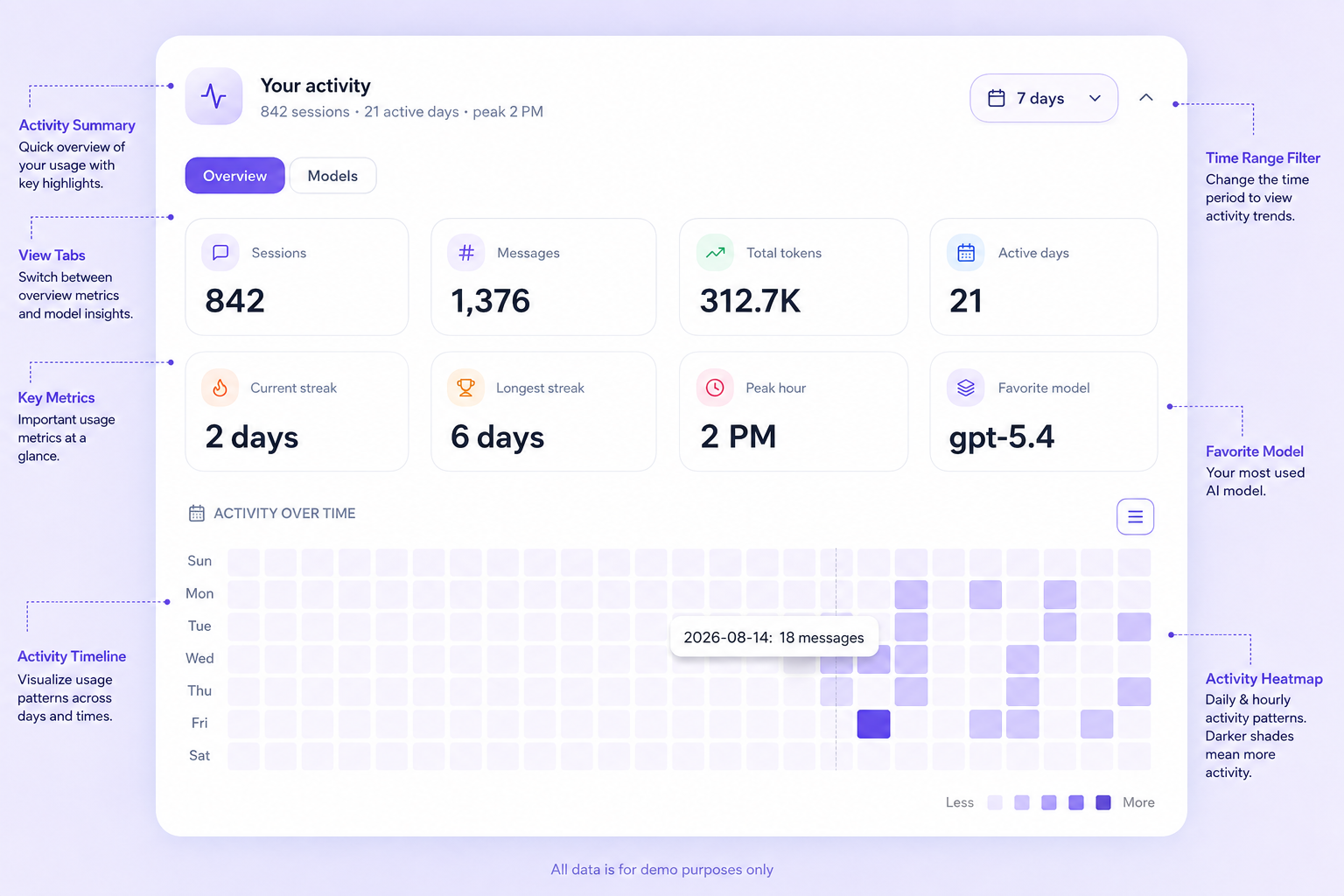
Bayaan analytics activity heatmap using sample workspace activity data

04 Analytics and intelligence

See how your team actually uses AI.

Bayaan turns workspace activity into visible usage patterns. Core KPIs, model-wise usage, daily activity, and heatmaps help admins understand adoption instead of guessing.

  • Calendar-style activity heatmaps
  • Usage patterns by time and team
  • Exportable views for reporting
Explore Usage Analytics

05 Project scope

Keep every project’s work in one AI workspace.

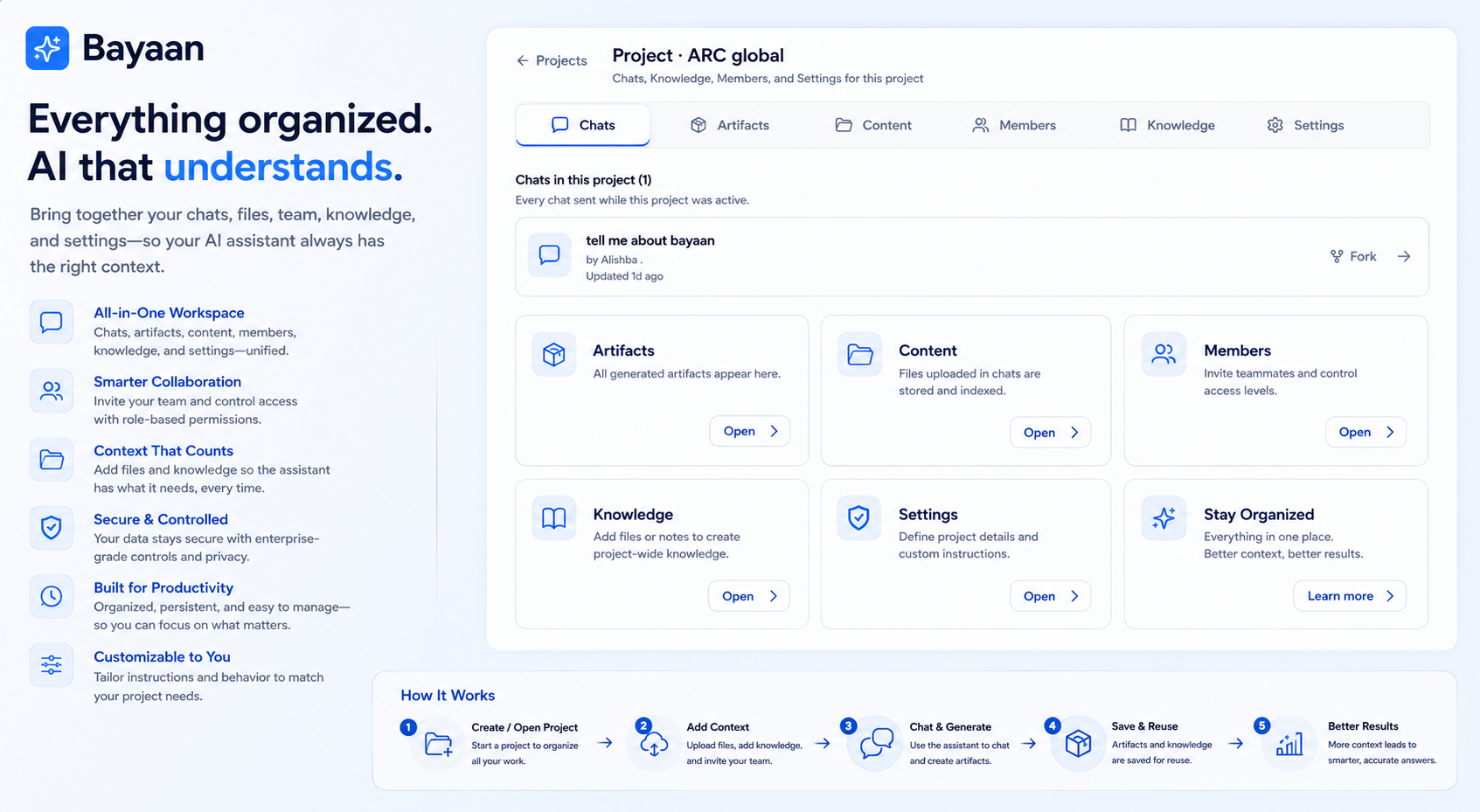
Projects Scope brings chats, uploaded files, generated artifacts, project knowledge, team access, and instructions around the same objective.

  • Chats, artifacts, files, and knowledge together
  • Owner, Editor, and Viewer project roles
  • Project-specific instructions and settings
Explore Projects Scope
Bayaan Project Scope workspace showing sample project chats, files, artifacts, and settings

06 Workspace options

The right Bayaan workspace for the way you work.

Individual

Personal AI workspace for individual productivity.
  • AI Chat / Ask Your Data
  • Personal Workspace
  • File & Document Work
  • Projects / Knowledge
  • Collaboration×
  • Organization Controls×
  • Admin Controls×
  • AI Personas×
  • Governance / Permissions×
  • Usage & Activity Insights×

Organization

AI workspace with collaboration, governance, and organizational control.
  • AI Chat / Ask Your Data
  • Personal Workspace×
  • File & Document Work
  • Projects / Knowledge
  • Collaboration
  • Organization Controls
  • Admin Controls
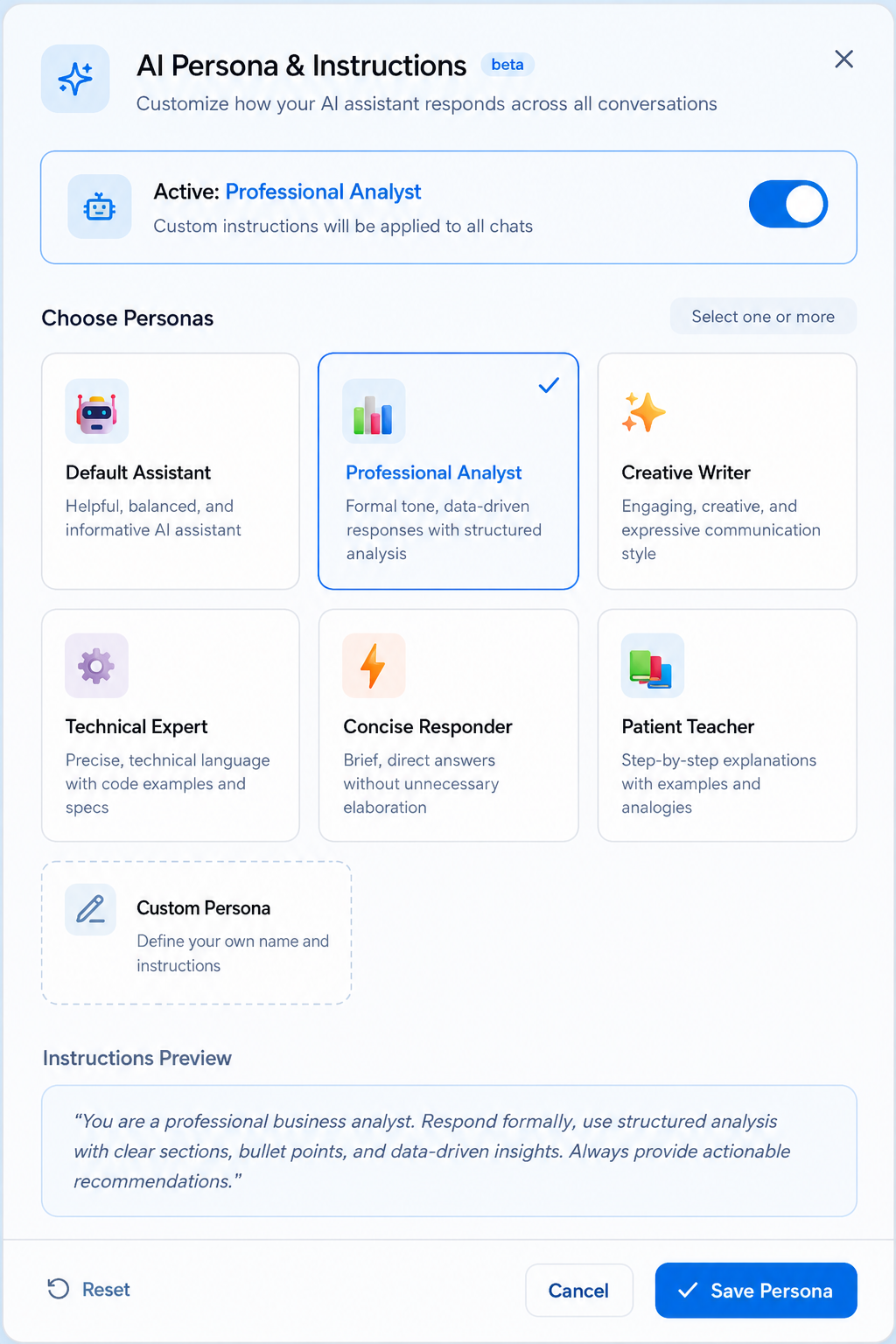
  • AI Personas
  • Governance / Permissions
  • Usage & Activity Insights

07Connect and govern

One AI layer. Your systems. Your rules.

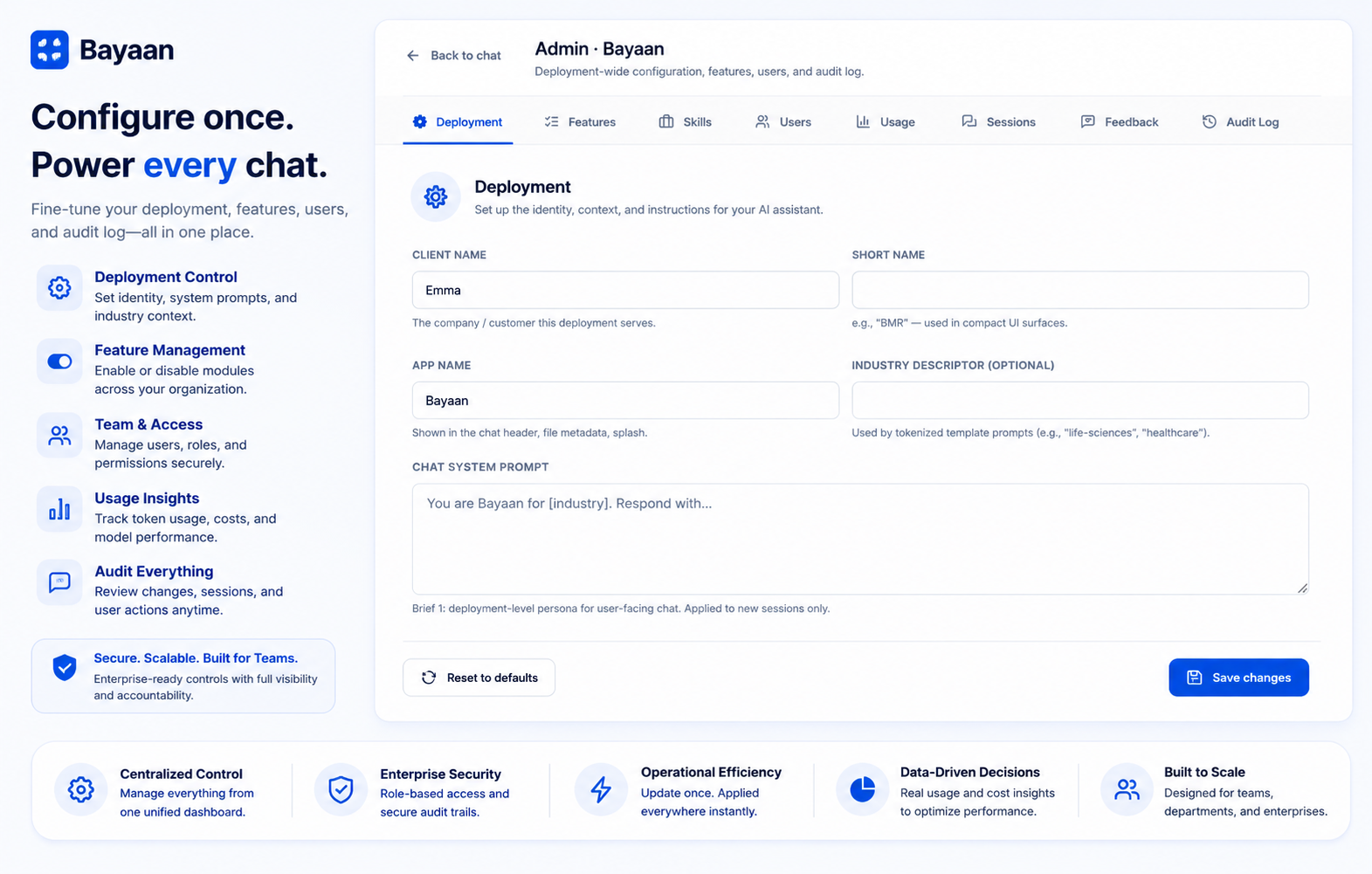
Bayaan brings role-based access, administrative controls, usage visibility, and audit logging into the workspace so organizations can manage AI adoption with clarity.

  • Deployment settings and feature controls
  • User management and usage analytics
  • Searchable administrative audit records
Bayaan administration console with demo configuration controls

Admin Control

One console for the controls that shape your workspace.

Authorized admins manage the Bayaan environment separately from the everyday chat experience.

Explore Admin Control
01

Deployment and branding

Set organization instructions, workspace behavior, and standards for themes, styles, formatting, layouts, and artifacts.

02

Feature management

Enable or restrict modules and features at the organization level to manage rollout at the right pace.

03

Skills and user access

Manage departmental skills alongside user names, roles, departments, access levels, and active status.

04

Usage and sessions

Review organization KPIs, model usage, user activity, daily trends, session status, and message counts.

05

Feedback management

Review liked, disliked, and reported chats with user-level context to identify recurring concerns.

06

Searchable audit logs

Search, filter, review, and export administrative activity records with user, action, target, result, and timestamp.

Multi-model routing

Choose the model that fits the work.

Bayaan supports multi-model routing for task-specific speed, cost, and reasoning trade-offs while maintaining the same governance model.

Explore multi-model Workspace
Bayaan model selection interface with demonstration model names

Bayaan enterprise AI

See Bayaan on your own workflow.

Explore how your teams can ask better questions, create usable work, and operate within the controls your organization needs.

Book a demo